For contracts, agreements and anything that needs a signature

Never wonder which version you signed.

Inkwell keeps every draft of your agreements in one place, lets people review them with you, and gets them signed from any phone — with proof that nothing changed.

Free to start · No card needed · Pay in Naira when you're ready

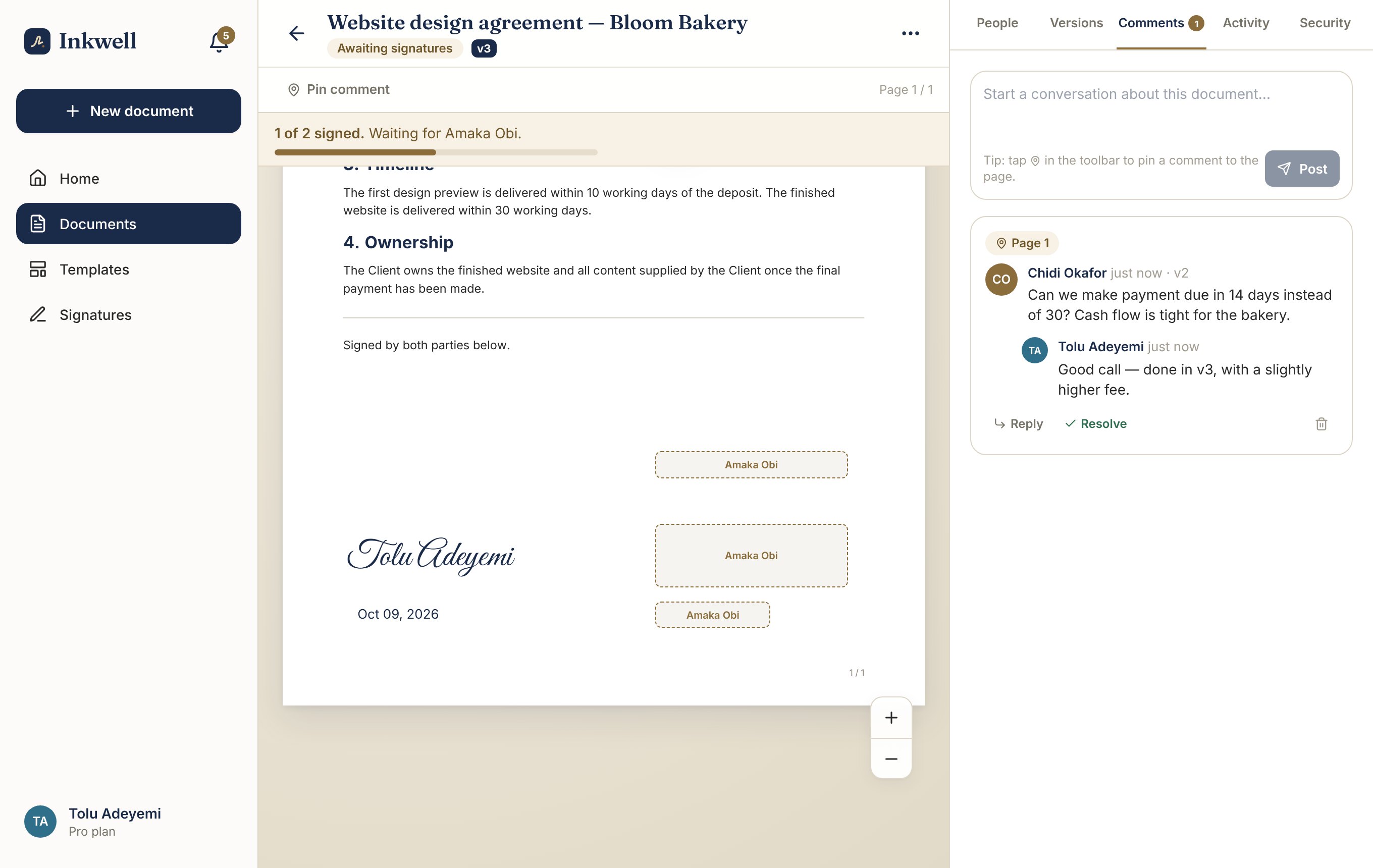
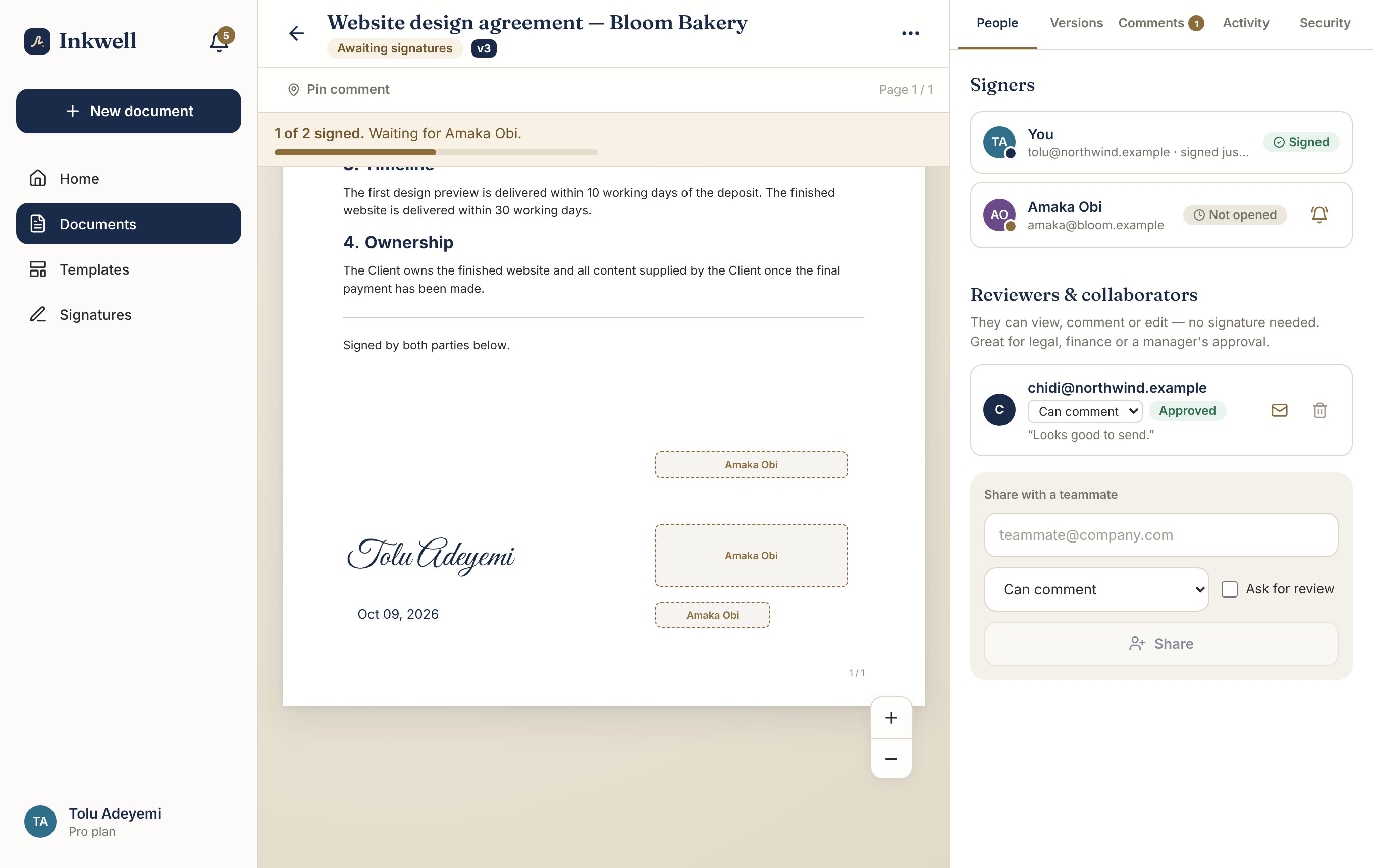
An agreement open in Inkwell, waiting for the client's signature, with the signer list and reviewer approval beside it
Made forFreelancers & agenciesLandlordsHR teamsSchools & NGOsSmall businesses

Sound familiar?

“Wait — which one did she sign?”

Tolu is a designer in Lagos. She sends a website agreement to a new client, a bakery owner named Amaka. Amaka wants the fee changed. Tolu edits it and sends it again on WhatsApp. Then a payment-terms change, over email. Then a third version, from Tolu's business partner.

Three weeks later the project is half done and Amaka says: “That's not what we agreed.” Tolu opens her phone. There are four PDFs and she isn't sure which one has a signature on it.

It doesn't have to work like this.
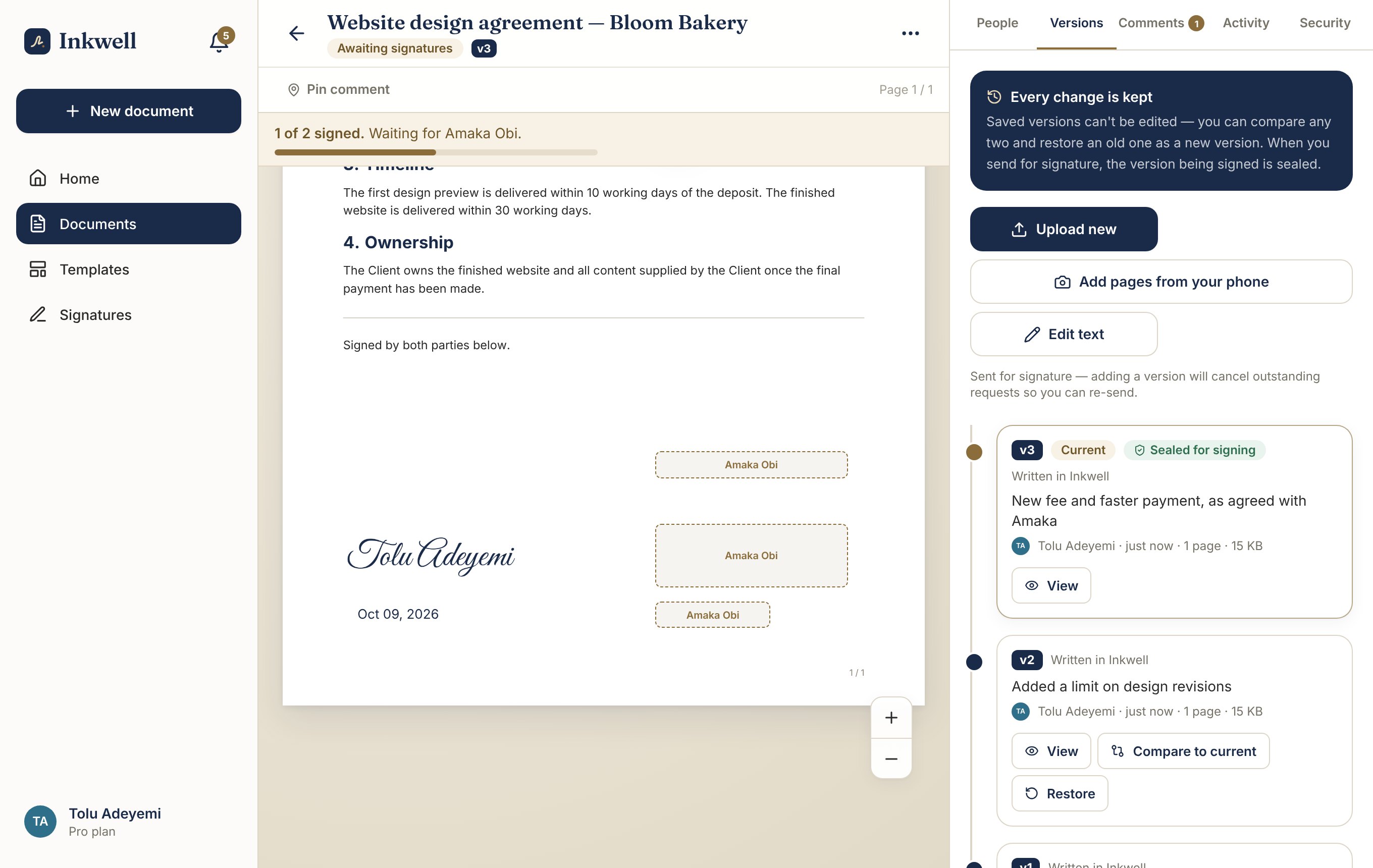
Inkwell's version history showing four saved versions of one agreement, each with a note about what changed

The Inkwell way

One document. Every version inside it.

With Inkwell, Tolu keeps a single agreement. Each change becomes a saved version with a short note — “New fee and faster payment, as agreed with Amaka”. Nothing is overwritten and nothing gets lost in a chat.

When it's time to sign, the version Amaka sees is locked. If Tolu changes anything afterwards, the old request is cancelled and a new one has to be sent. What's signed is always exactly what was shown.
How it works

From first draft to signed, in one place

1

Start with whatever you have

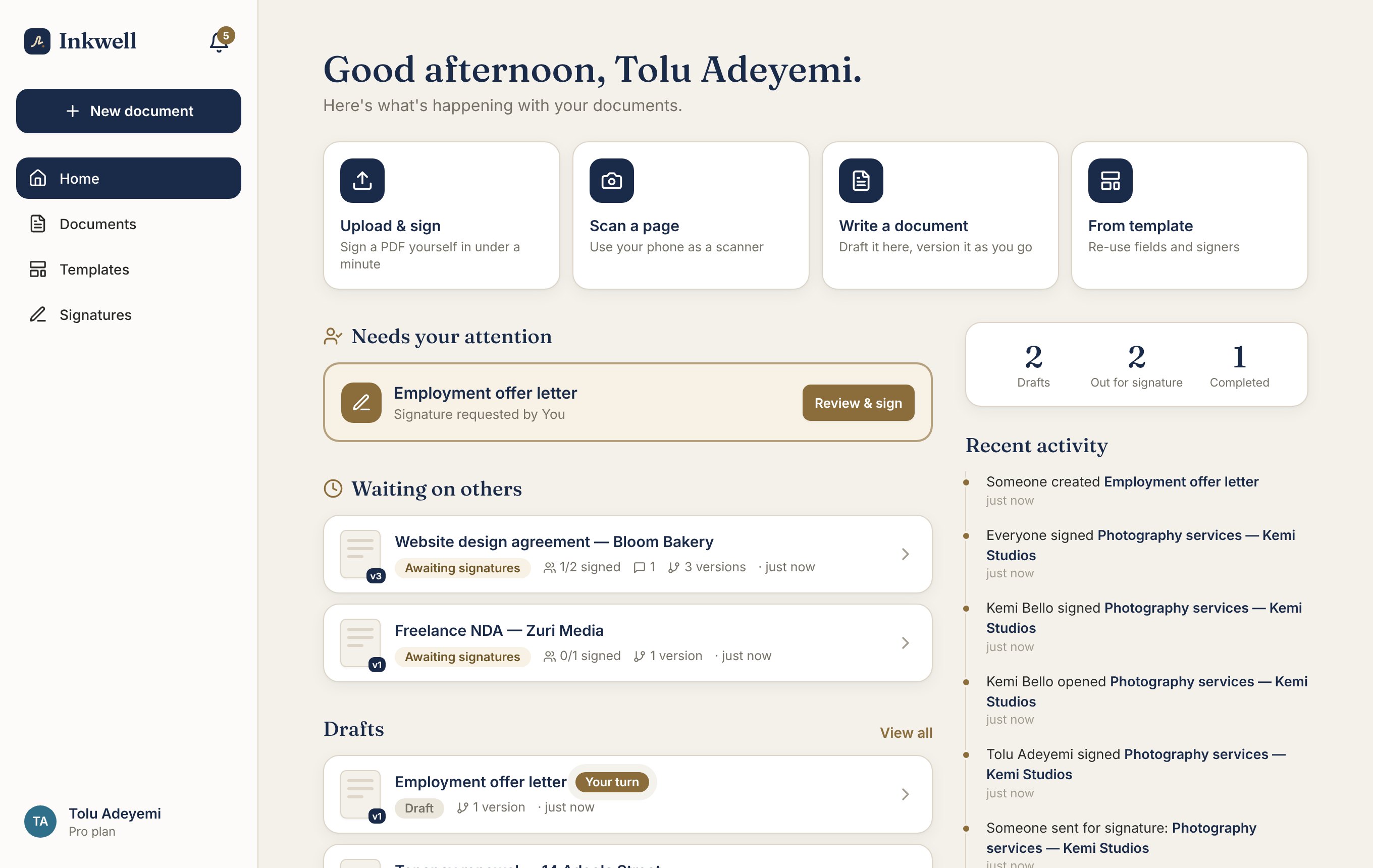
Upload a PDF, scan a paper page with your phone, or write the agreement right inside Inkwell. Your home screen shows what needs your attention, what's waiting on others, and what's finished.

  • Works with PDFs and phone photos
  • Write and format documents without Word
  • Start from a saved template for repeat work
The Inkwell home screen with quick actions to upload, scan, write or use a template, plus documents waiting on others
2

Change it without making a mess

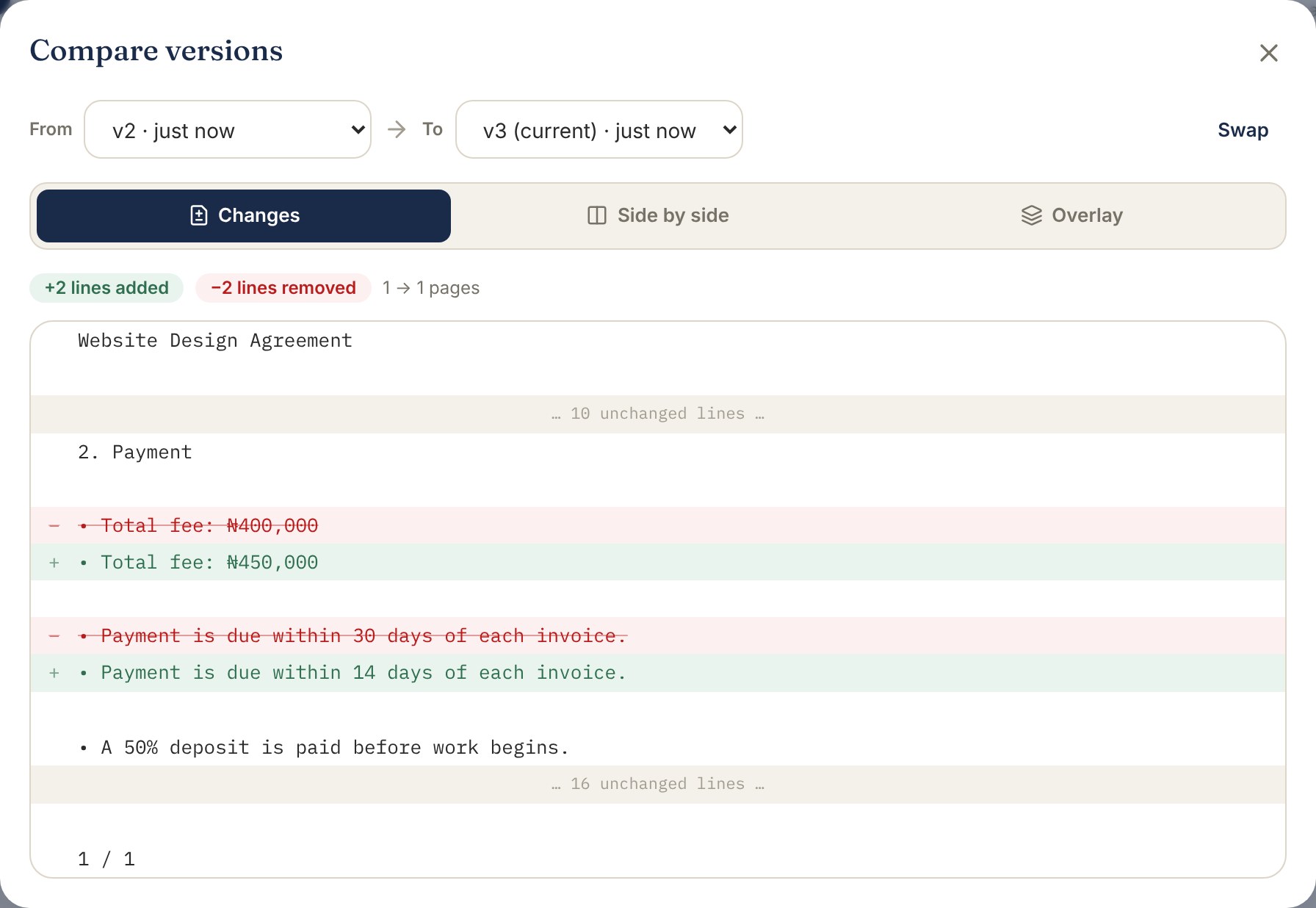
See exactly what changed between any two versions — highlighted line by line, side by side, or as a visual overlay for scans. Made a wrong turn? Restore any older version in one tap.

  • Highlights what was added and removed
  • Restore without losing anything
  • A note on every version, like a diary for your document
Inkwell showing exactly which lines changed between two versions: the fee and the payment period
3

Talk about it where it lives

Pin a comment to the exact line you mean. Ask a partner, lawyer or manager to review it first, and see who has approved before anything goes out. No more edits lost in group chats.

  • Comments pinned to the page
  • Ask people to approve or request changes
  • Everyone is notified, nobody is chased
A comment pinned to the payment terms of an agreement with a reply, and a reviewer's approval
4

Get it signed — on any phone

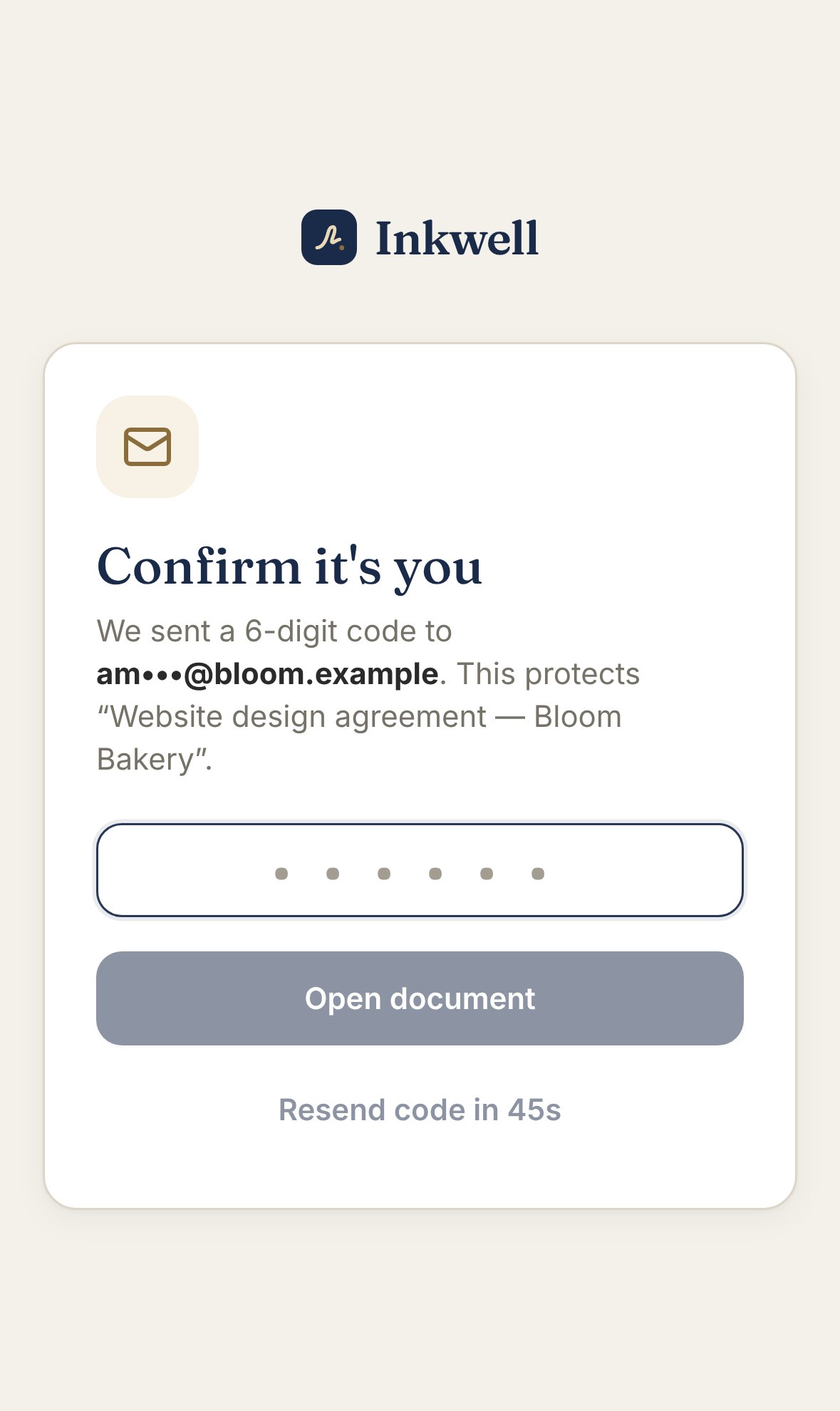
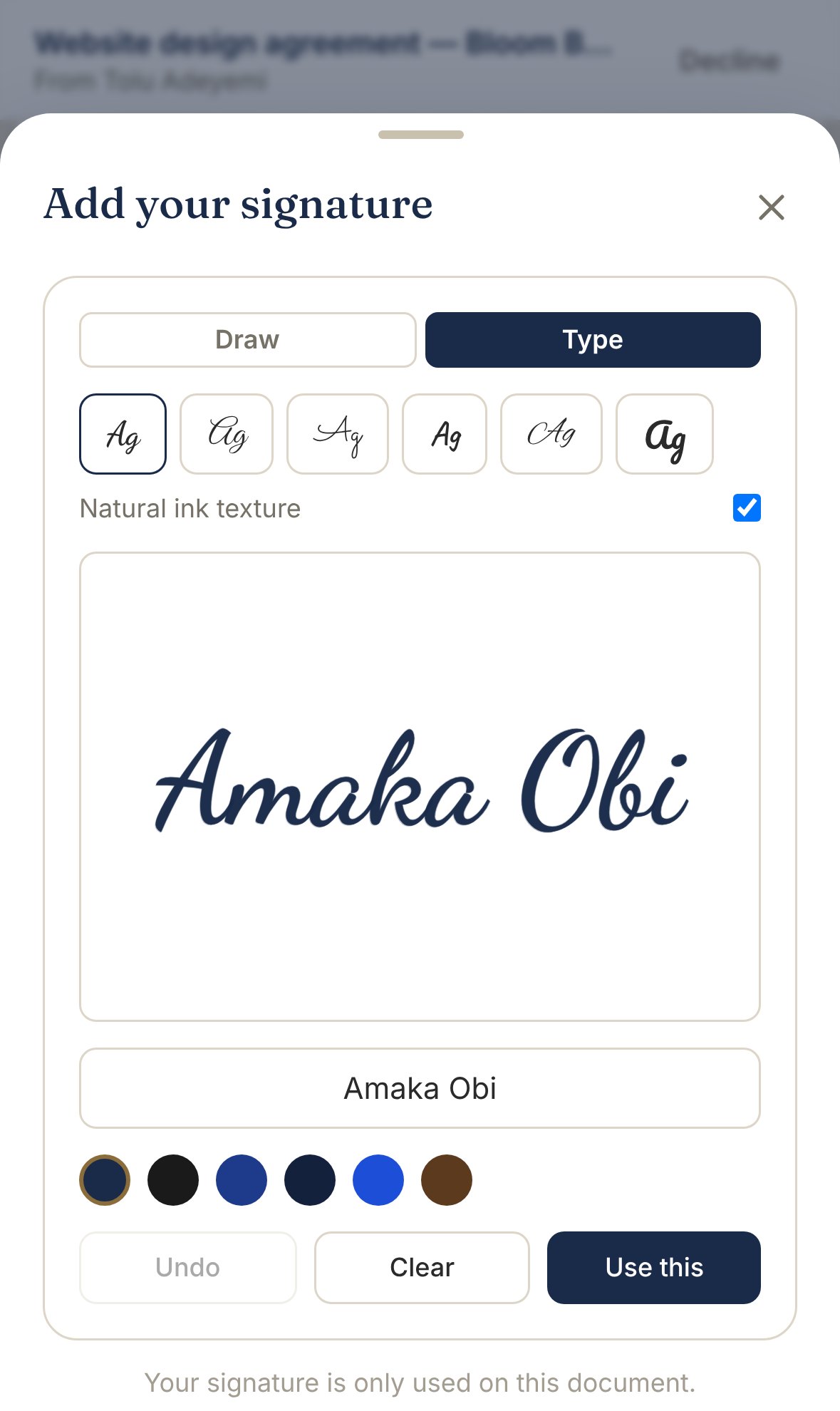
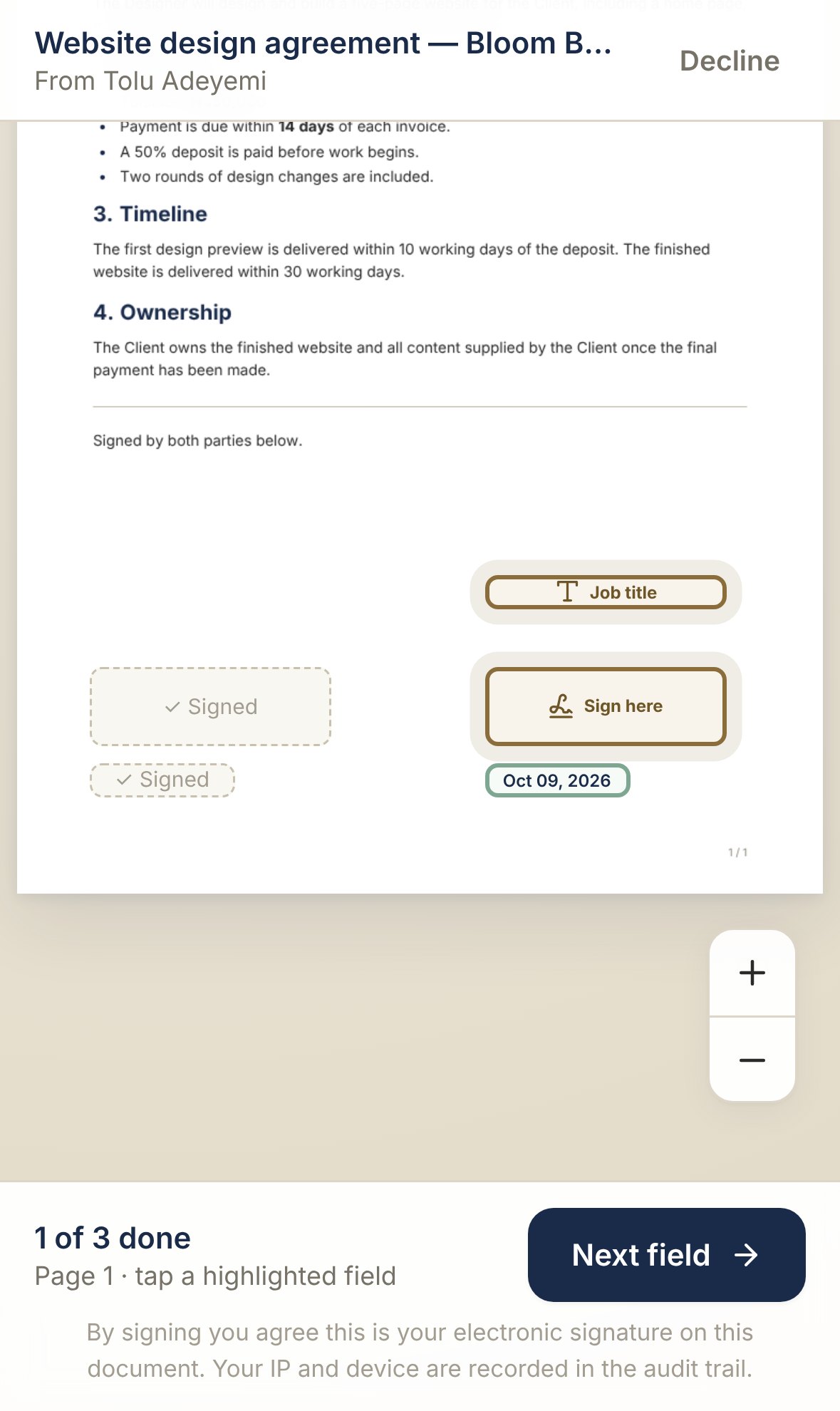
Amaka gets an email. She taps the link, confirms it's her with a short code, and sees her agreement with every spot she needs to sign highlighted. Type her name or draw it with a finger — it's signed in under a minute.

No app to download. No account to create. No printing, scanning or couriers.

  • A guided “next field” flow — nobody gets lost
  • Draw or type, in natural-looking ink
  • You can sign your own copy too
Phone screen asking the signer to confirm their email with a code
Phone screen where the signer types their name to create a signature
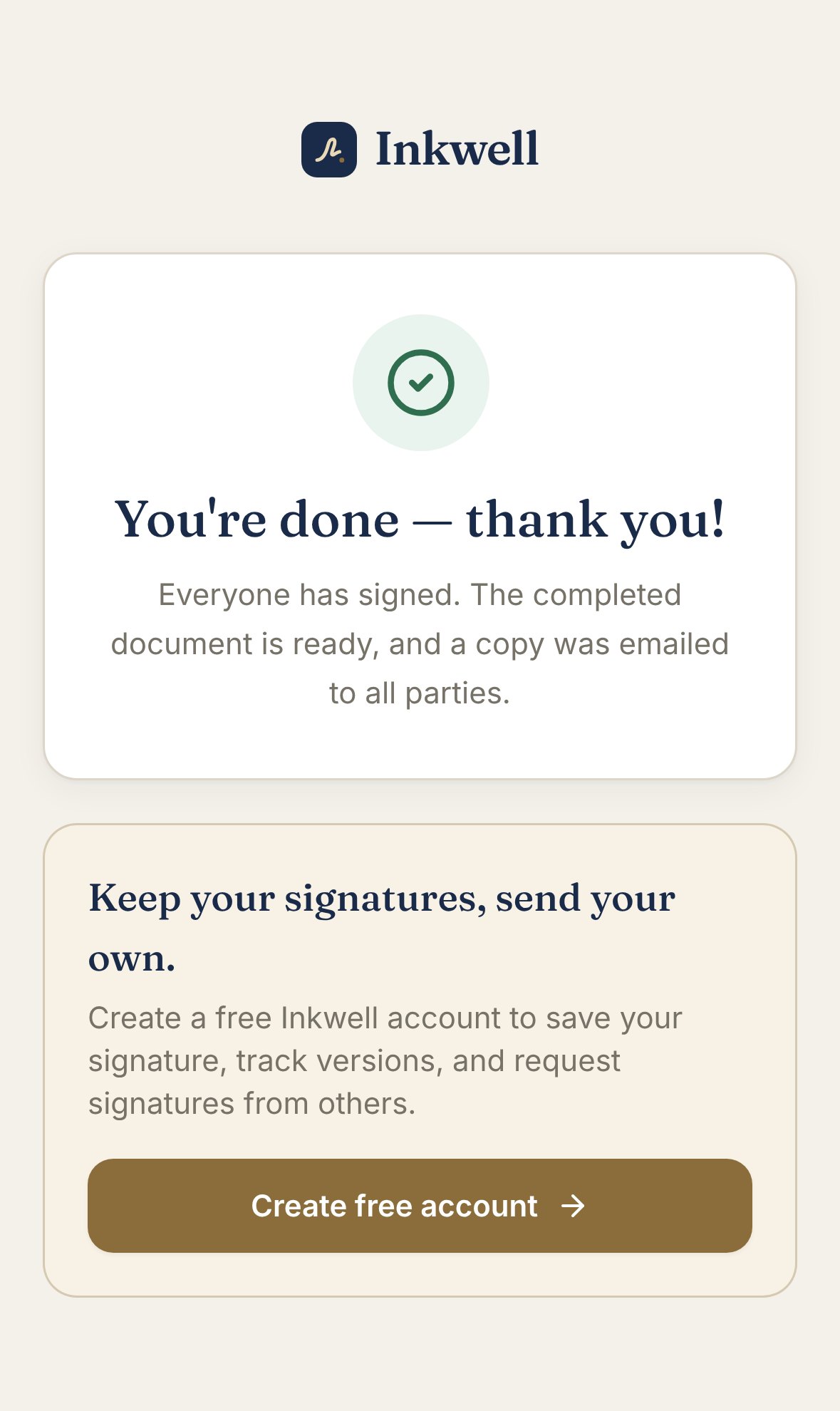
Phone screen confirming the document was signed
5

Proof that holds up later

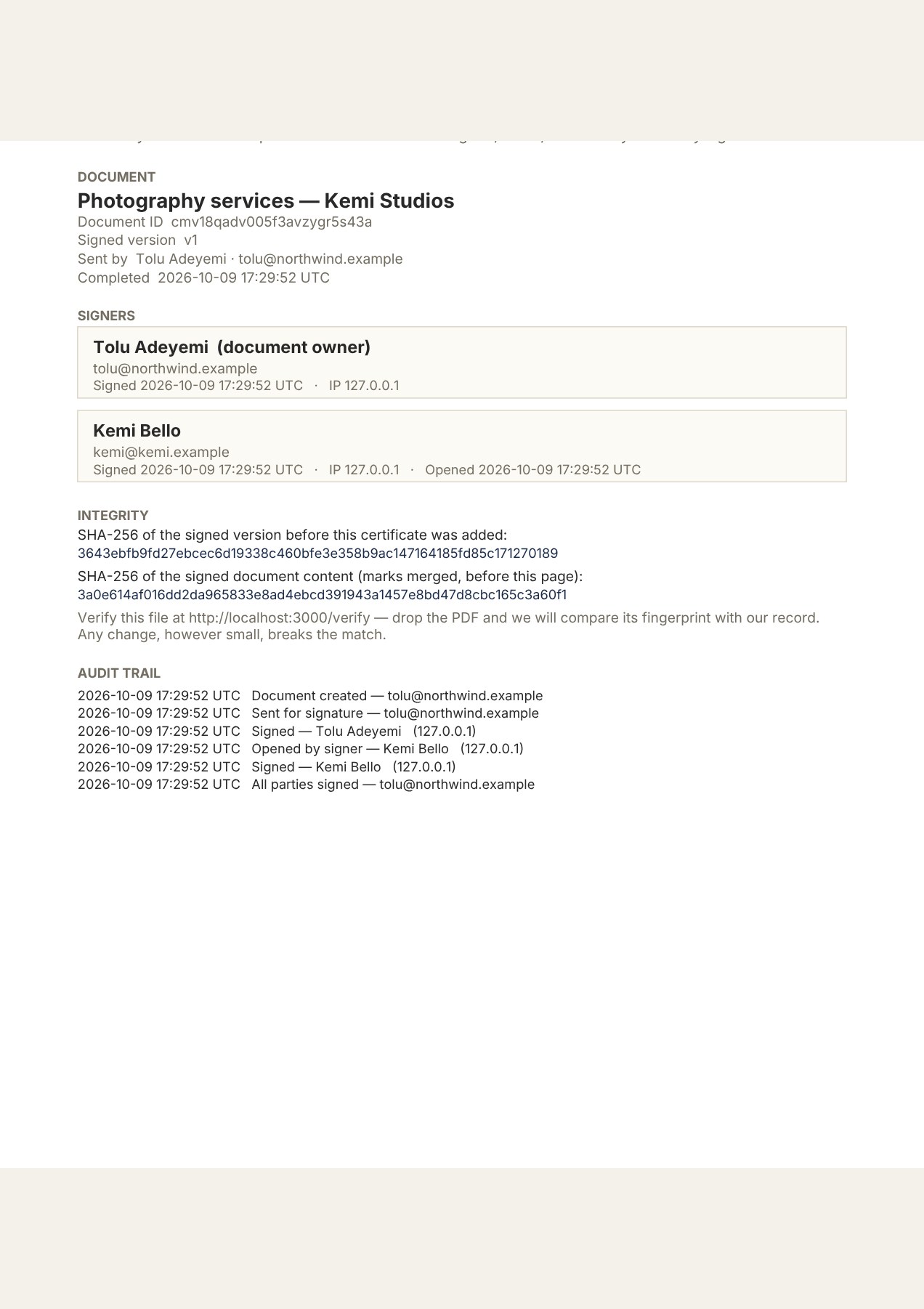
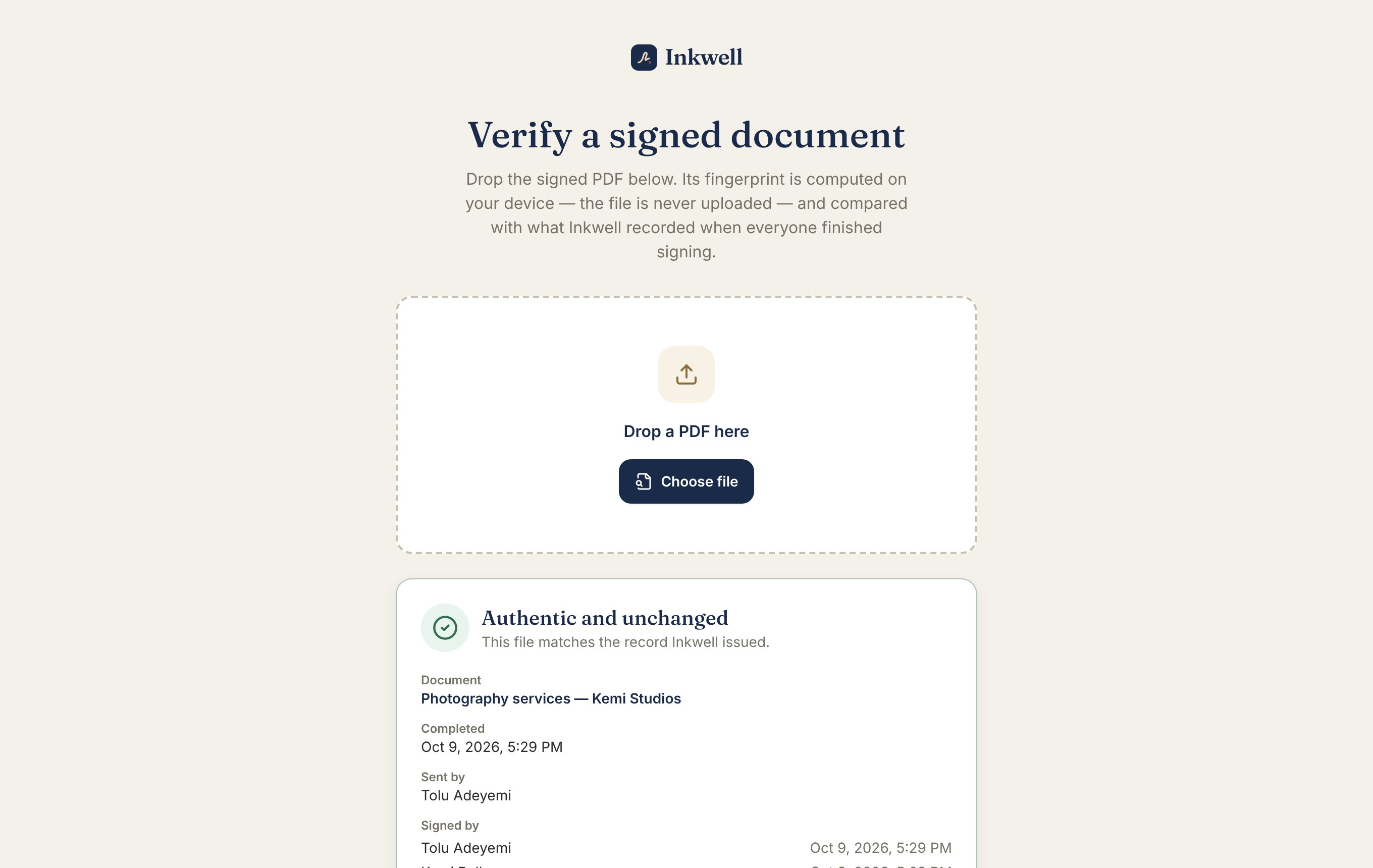
Every signed document comes with a Certificate of Completion: who signed, when, and from where — plus a unique fingerprint of the file. Months later, anyone can drop the PDF on Inkwell's verify page and see instantly whether it's untouched.

  • Names, times and a full audit trail
  • A fingerprint that breaks if even a comma changes
  • Anyone can check a file, no account needed
A Certificate of Completion listing who signed, when, and the document's unique fingerprint
The verify page confirming a signed PDF is authentic and unchanged
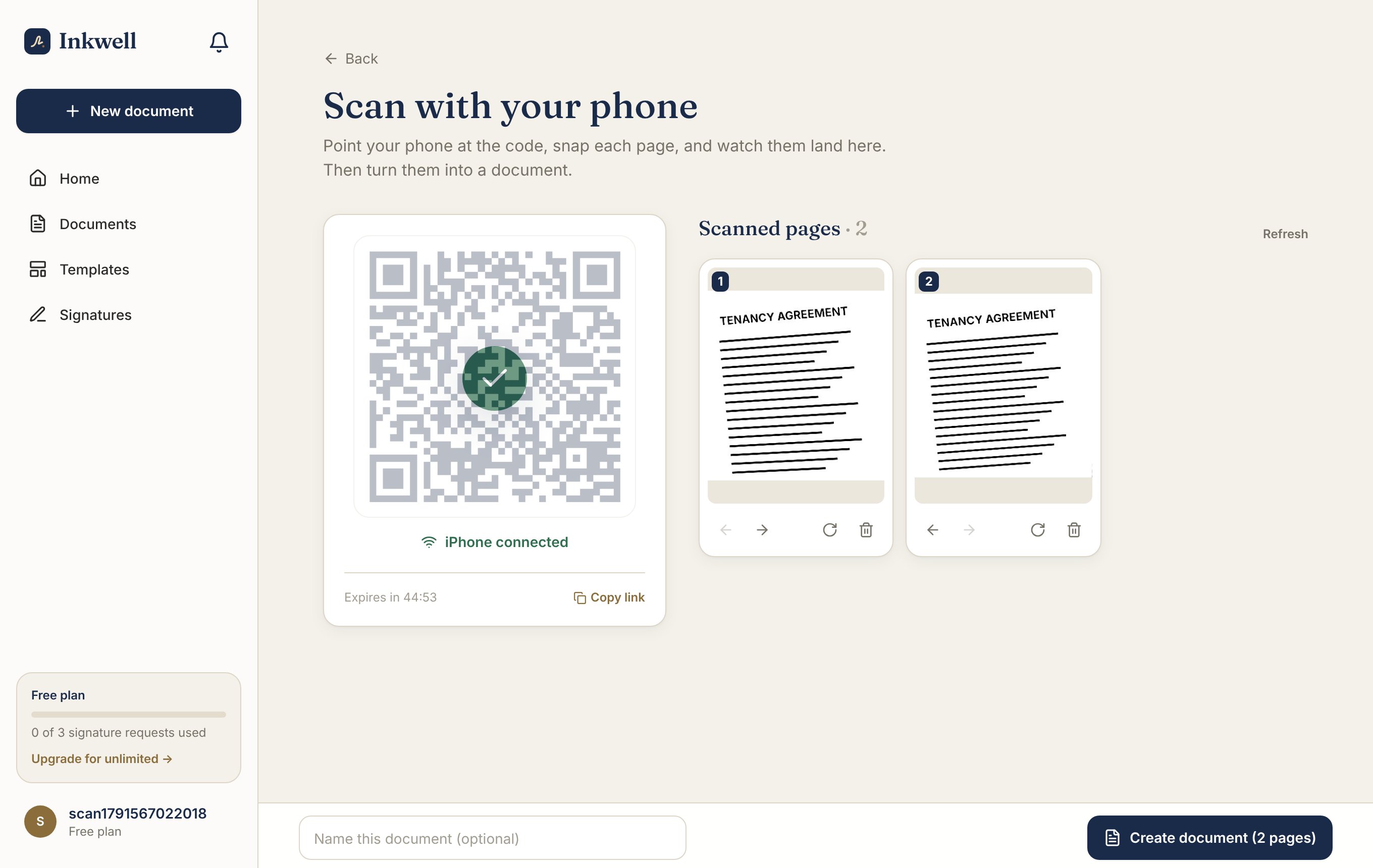
Scanned pages arriving on the computer as the phone takes them, with a green tick showing the phone is connected
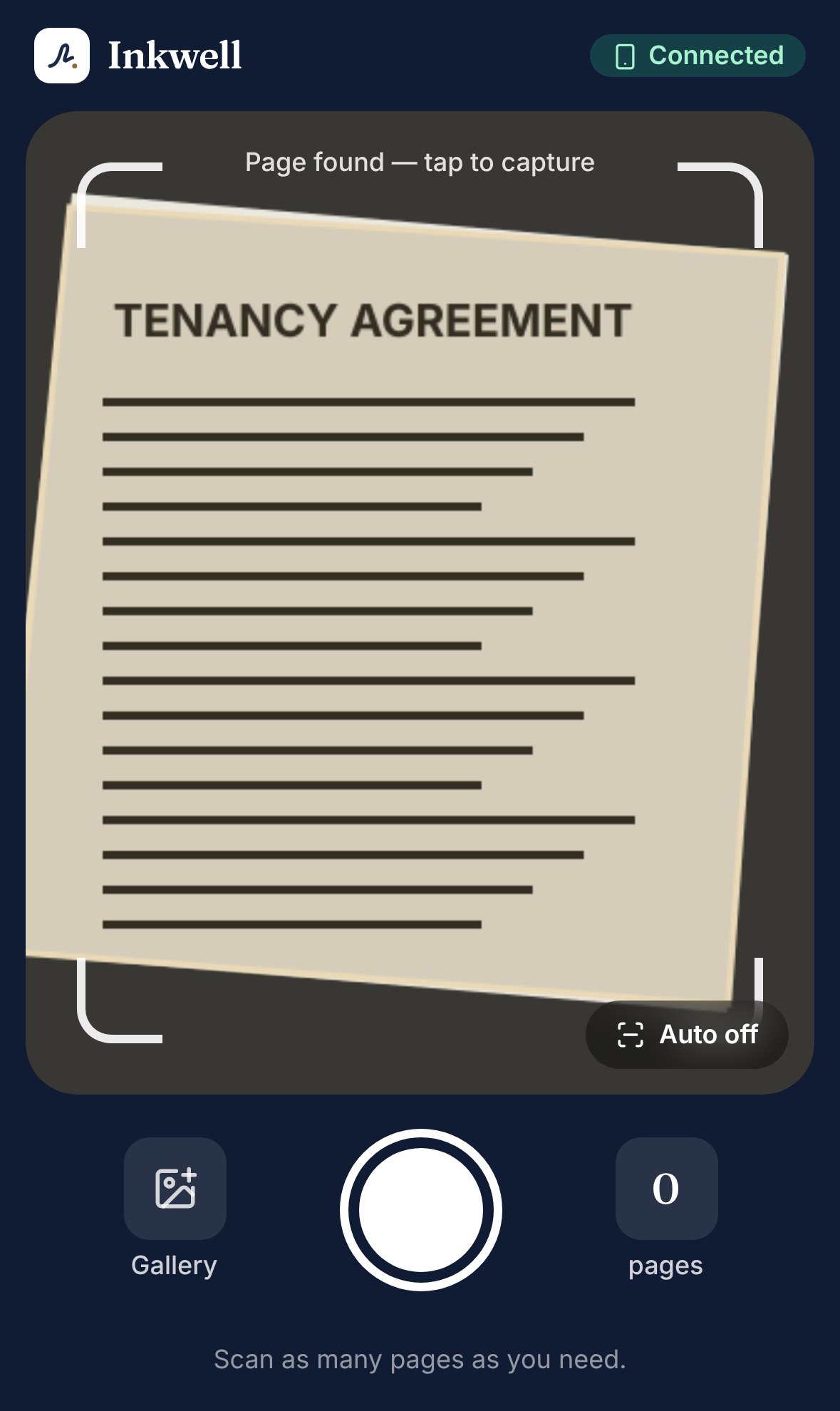
The phone camera outlining a sheet of paper automatically
New

Your phone is the scanner

Got a paper contract, a handwritten note or a signed page? Open Inkwell on your computer and scan the code with your phone. That's it — your phone is now a scanner, and every page you snap lands on your screen a second later.

Inkwell finds the edges of the page, straightens it, removes shadows and turns the paper white. No app to install.

  • Pair with a QR code — no cables, no apps
  • Pages are cropped and straightened automatically
  • Add scanned pages to a document you already have
New

One agreement. A hundred people. One spreadsheet.

Hiring a class of new staff? Collecting consent forms from every parent? Paste your list from Excel or Google Sheets, pick a template, and Inkwell sends each person their own copy to sign — with their own link, their own record and their own certificate.

And because people read WhatsApp faster than email, Inkwell can nudge them there too.

  • Paste a list or upload a CSV — mistakes are flagged before anything is sent
  • Everyone signs separately; you see each result live
  • Invites and reminders by email and WhatsApp
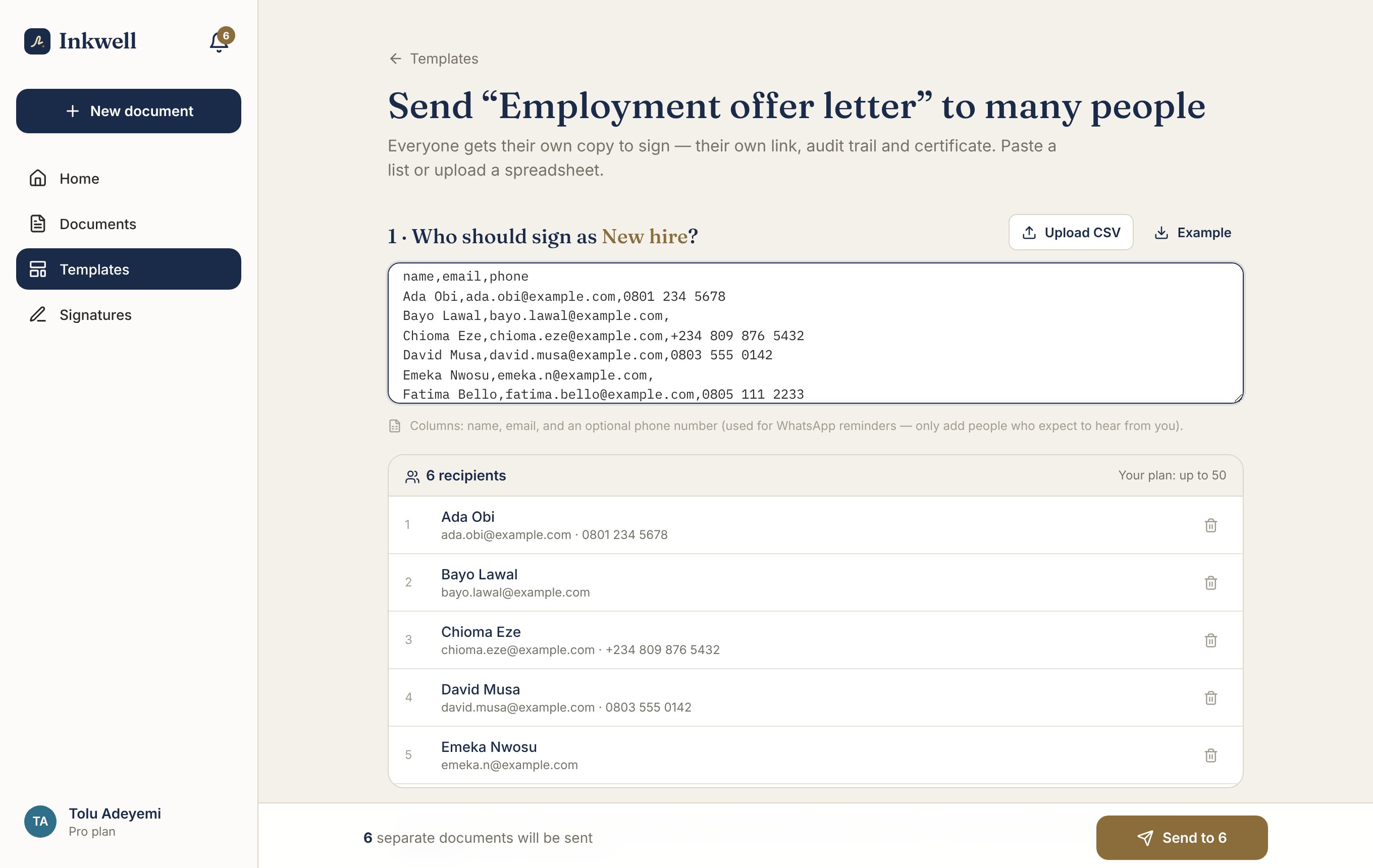
Inkwell's bulk send screen with six recipients pasted from a spreadsheet and ready to send

Example WhatsApp reminder

Hi Amaka 👋 a gentle reminder: Website design agreement is still waiting for your signature.

inkwell.example/sign/…

09:41

Pro

Ask for the deposit when they sign

Most people agree to a job and then take weeks to pay the first part. With Inkwell you can ask for the deposit as part of signing. Your client signs and pays in the same sitting, through Paystack.

The money goes to your own bank account, and Inkwell tells you the moment it arrives.

  • Card, bank transfer or USSD, in Naira
  • Paid straight to your bank account
  • You are told as soon as the payment comes through

All the little things that make it painless

Your signature, saved

Create it once and reuse it everywhere. It looks like your handwriting, not a font.

Templates

Save an agreement with its signing spots and roles. Next client takes two taps.

Reminders that get read

Inkwell nudges people by email and WhatsApp, and tells you the moment they sign — on your phone too.

Scan paper in seconds

Pair your phone with a QR code and turn paper pages into clean, straight documents.

Extra protection when you need it

Add a passcode, set an expiry date, or have people sign one after another.

Sitting next to them? Hand over your phone

Open the document on your phone, pass it across the table, and they sign right there. No email needed.

Your logo on everything they see

Add your name and logo so signing pages and emails look like they come from you.

Your whole team, one place

On Business, share documents and templates with colleagues and decide who can do what.

Know who’s holding things up

See how fast people sign, which documents are stuck, and who to nudge next.

Connect it to your other tools

Send documents and hear back when they’re signed from your own software, using our API and webhooks.

Read the developer docs

Check any signed file

Drop a PDF on the verify page and see whether it is still exactly what was signed.

Open the verify page

If you ever say “just sign here”, this is for you

Freelancers & agencies

Send proposals, ask for the deposit as they sign, and nudge slow signers on WhatsApp until it’s done.

Landlords & agents

Start from a tenancy agreement, scan the old paper lease with your phone, and keep a signed record if there’s ever a dispute.

HR & small teams

Send offer letters or policy acknowledgements to a whole intake from one spreadsheet — each person signs their own copy.

Schools & NGOs

Send consent forms to every parent at once, remind them on WhatsApp, and see who’s signed at a glance.

Contractors & suppliers

Scan a delivery note on site, get it signed on the spot, and keep the proof with the job.

Anyone who signs things

Sign your own documents free, as often as you like.

Why people switch

Email and WhatsApp are great for chatting. Contracts need more.

Email & WhatsAppMost signing appsInkwell
Keeps every version in one place
Scan paper with your phone, no app
Send one agreement to many people at once
Reminders on WhatsApp
Shows exactly what changed
Review and approval before sending
Signer needs no account or app
Signed version is locked
Certificate and a check anyone can run
Pay in Naira with Paystack
Ask for a deposit as part of signing
Hand your phone over to sign in person
Start from a ready-made document
Connect to your other tools (API and webhooks)

“Some” means it depends on the product or plan.

Private by design

Only you and the people you invite can open a document. We never sell your data or read your contracts.

Built for proof

Email checks for signers, locked versions and tamper-evident certificates.

Honest about the law

Electronic signatures are accepted in many places. We tell you plainly when to ask a lawyer.

Read how we protect your documents

Simple pricing, in Naira

Start free. Upgrade only when you're sending documents regularly. Cancel anytime.

7-day money-back guarantee on your first payment · Secure payments by Paystack

Good questions

Electronic signatures are accepted in most countries — for example under the US ESIGN Act, EU eIDAS and Nigeria’s Evidence Act. Inkwell records who signed, when, and exactly what they signed, then seals it with a certificate. A few document types (like wills or some property transfers) have special rules, so check with a lawyer for those.

Still unsure? Ask us anything.

Next time someone asks “which version did we sign?” — you'll know.

Set up in a minute. Your first signature is free.

Start free